Rainbow is Laser’s default appearance. A slowly wandering source sends out beams that narrow to a point at their origin and widen across the screen. Beams grow and recede independently between about one-third of their available reach and the screen edge. Each beam fades in and out independently, with its own width, changing sweep speed and drifting rainbow colors. Longer fading trails make the sweeping motion visible; an occasional beam travels through the whole spectrum.
Choose Classic for Laser’s original centered composition and repeating beam cycles. Its soft-glow appearance and optional crisp beams remain available, with their previous settings preserved.
Rainbow adapts to Reduce Motion by keeping the source and beam directions stationary while retaining gentle color and lifetime fades.
The historical help describes Laser as a tribute to earlier screen savers of the same name on UNIX, NeXTSTEP and Macintosh. The Swift edition retains the radiating-beam concept and offers both modern fading trails and a classic crisp treatment.
Report issues with this screen saver to [email protected].
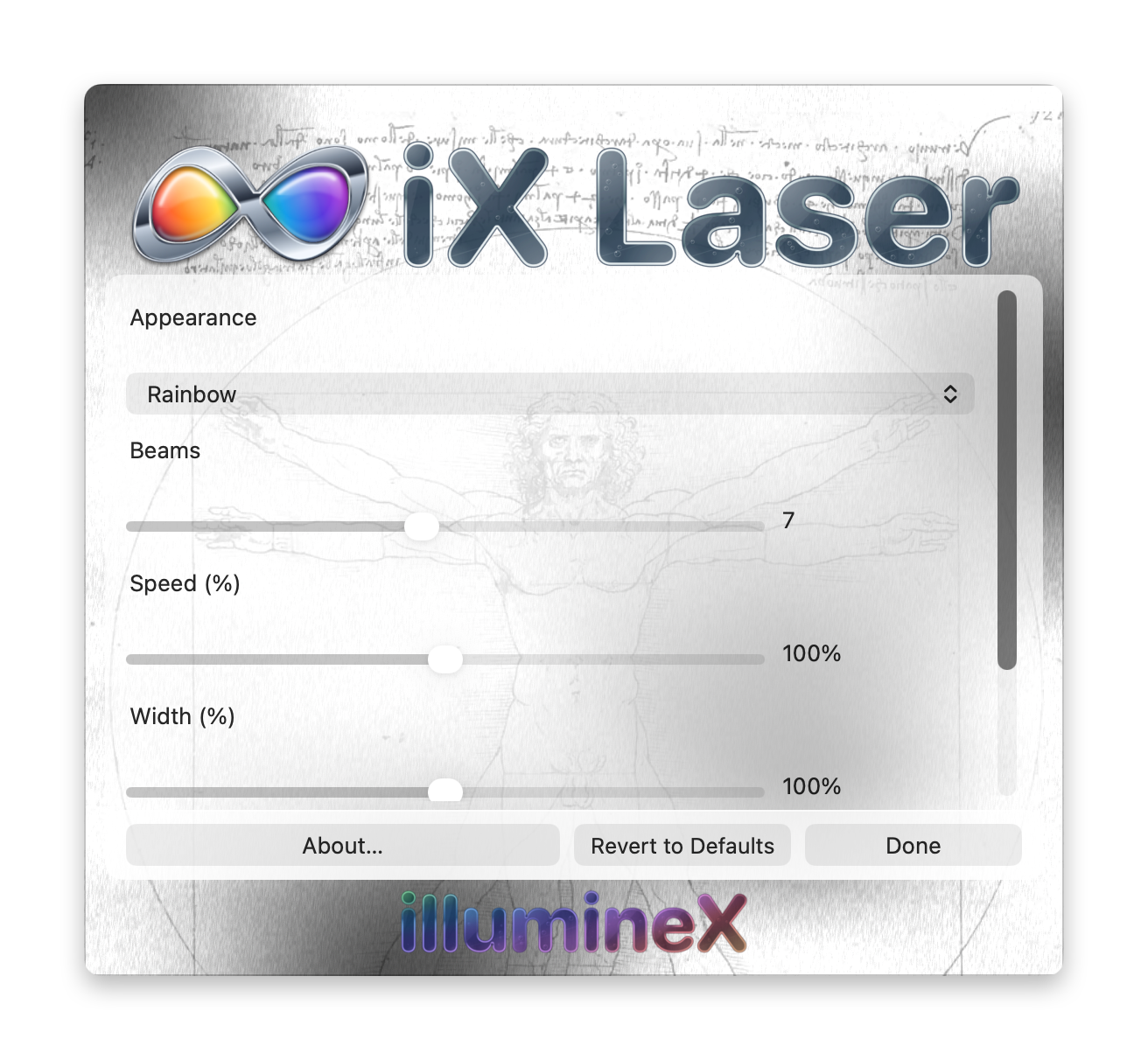
Changes take effect and save immediately. Revert to Defaults restores Rainbow and all default settings immediately. Done or Escape closes Options without undoing changes.
Appearance — Classic or Rainbow; default Rainbow
Rainbow is the default, including when no appearance has been saved. Classic preserves the existing centered effect, with both soft-glow and crisp-beam treatments. Each appearance retains its own controls when you switch between them. Studio’s canonical images and movies use default Rainbow, independently of live Options.
Beams — 1 to 14; default 7
Rainbow only. Sets the number of independent color channels; not every channel is visible at once. An additional, occasional beam cycles through the full spectrum.
Speed (%) — 50 to 150%; default 100%
Rainbow only. Scales motion and the timing of beam appearances, fades and color changes together. 100% uses the approved study pace. Individual beam speeds continue drifting independently.
Width (%) — 50 to 150%; default 100%
Rainbow only. Scales the beams’ far-end widths around the approved study appearance. Each beam starts at a point, has its own typical width and drifts around that width over time. Occasional breadth surges add variety.
Frames per second — 10 to 100; default 75
Sets the requested animation rate for either appearance; the rate actually achieved depends on the Mac and its host. In Rainbow, motion follows elapsed time, so this controls smoothness without changing the selected motion speed. Classic retains its original frame-based timing.
Frames before reset — 10 to 2000; default 400
Classic only. Sets the number of animation steps before a new beam cycle begins. Its elapsed duration also depends on the animation rate. This setting does not reset the Rainbow ensemble.
Beams (0 = random) — 0 to 20; default 0
Classic only. Sets the number of beams. Zero chooses a random number for each cycle.
Classic crisp beams — on or off; default off
Classic only. Uses sharp, bright beams with short trails. Leave this off for the existing softer, fading treatment.