
Dots and star-shaped symbols stream outward from the center, suggesting travel through space. Some system glyphs may carry their own colors.
Star count controls density and speed controls travel. If a requested symbol is unavailable, a bullet or period keeps the star field intact.
Hyperspace was adapted from Gary W. Longsine’s Swift experiments in ScreenSaversPaX. The current edition carries the visual concept into the shared illumineX saver architecture, with functional Options and reproducible rendering.
Report issues with this screen saver to [email protected].
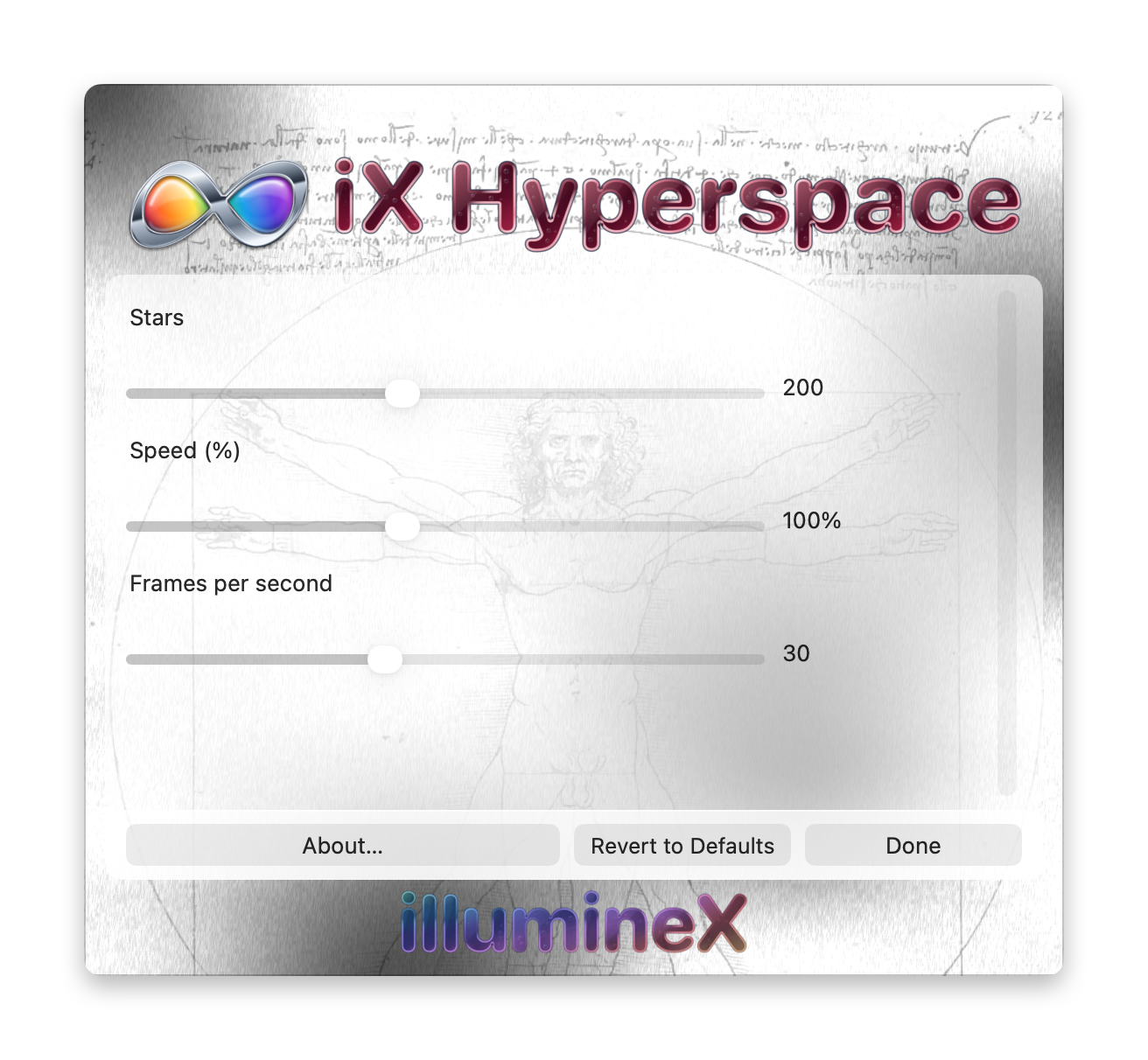
Changes take effect and save immediately. Revert to Defaults applies this saver’s defaults immediately. Done or Escape closes Options without undoing changes.
Stars — 50 to 400; default 200
Sets the number of dots and symbols in the field.
Speed (%) — 25 to 200%; default 100%
Changes travel speed independently of the requested redraw rate.
Frames per second — 10 to 60; default 30
Sets the requested animation rate. Higher values generally advance the effect faster; lower values slow it down and reduce rendering work. The actual rate depends on the Mac and its screen saver host.