
A filled circle appears at a new position on a black field, then gives way to another. Random Colors, Purple Rain and Emerald Forest offer different palettes.
Seconds per circle controls the hold. A low redraw rate is enough for this deliberately simple, unhurried effect.
Circles was adapted from Gary W. Longsine’s Swift experiments in ScreenSaversPaX. The current edition carries the visual concept into the shared illumineX saver architecture, with functional Options and reproducible rendering.
Report issues with this screen saver to [email protected].
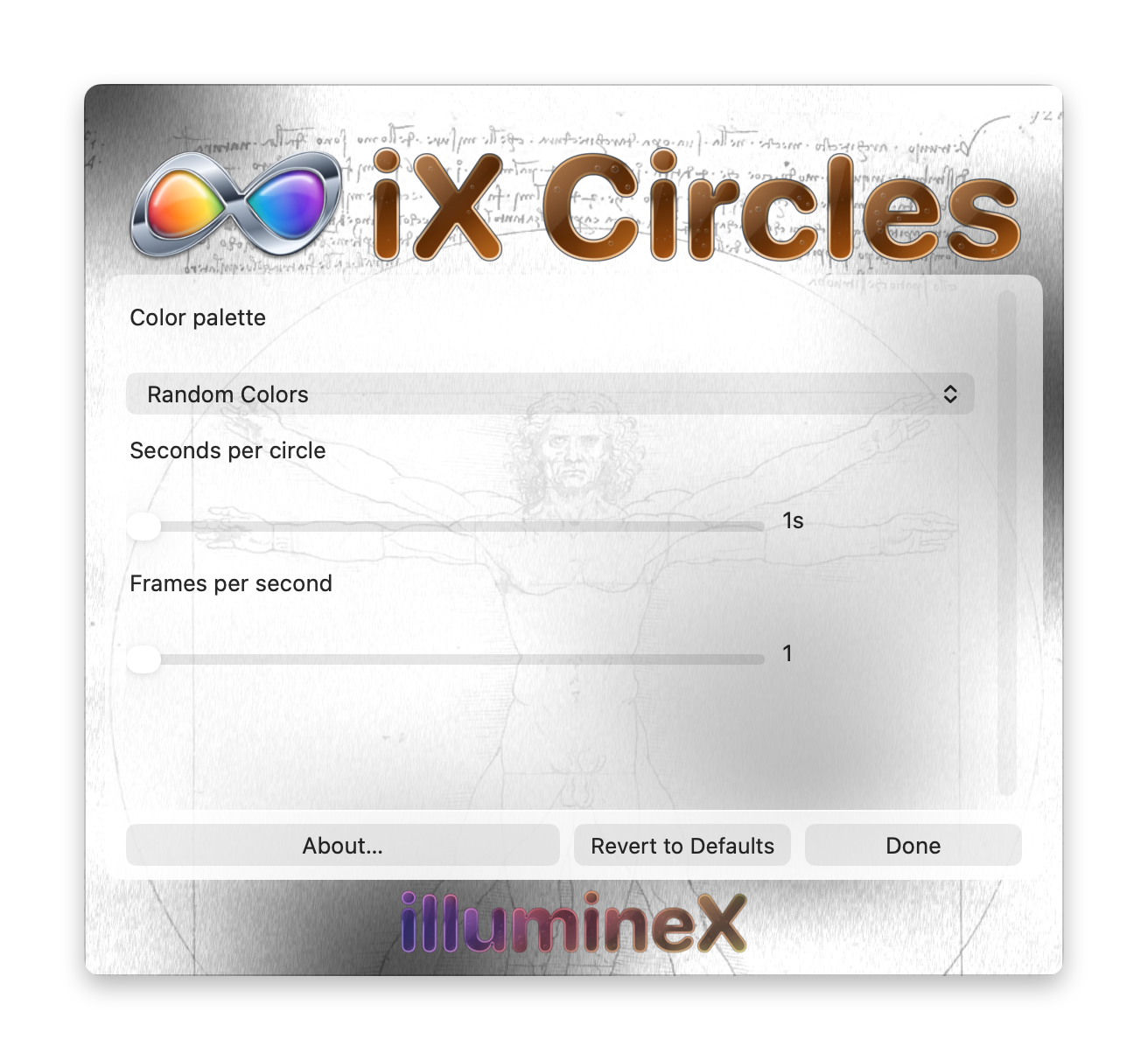
Changes take effect and save immediately. Revert to Defaults applies this saver’s defaults immediately. Done or Escape closes Options without undoing changes.
Color palette — Random Colors, Purple Rain or Emerald Forest; default Random Colors
Selects the palette used for new circles. Random Colors uses varied hues; the other palettes concentrate on purple or green tones.
Seconds per circle — 1 to 10s; default 1s
Sets how long a circle remains before the next appears.
Frames per second — 1 to 30; default 1
Sets the requested animation rate. Higher values generally advance the effect faster; lower values slow it down and reduce rendering work. The actual rate depends on the Mac and its screen saver host.